Role: UX + Product Design
Timeline: 4 weeks
Methods: flows, wireframes, testing

The Process
01
Initial Research & Idea Creation
This project started with a talk about the brief, where I wrote down key notes and then led to me analysing the challenge and coming up with ideas for brands to make a better change.

02
Time Management
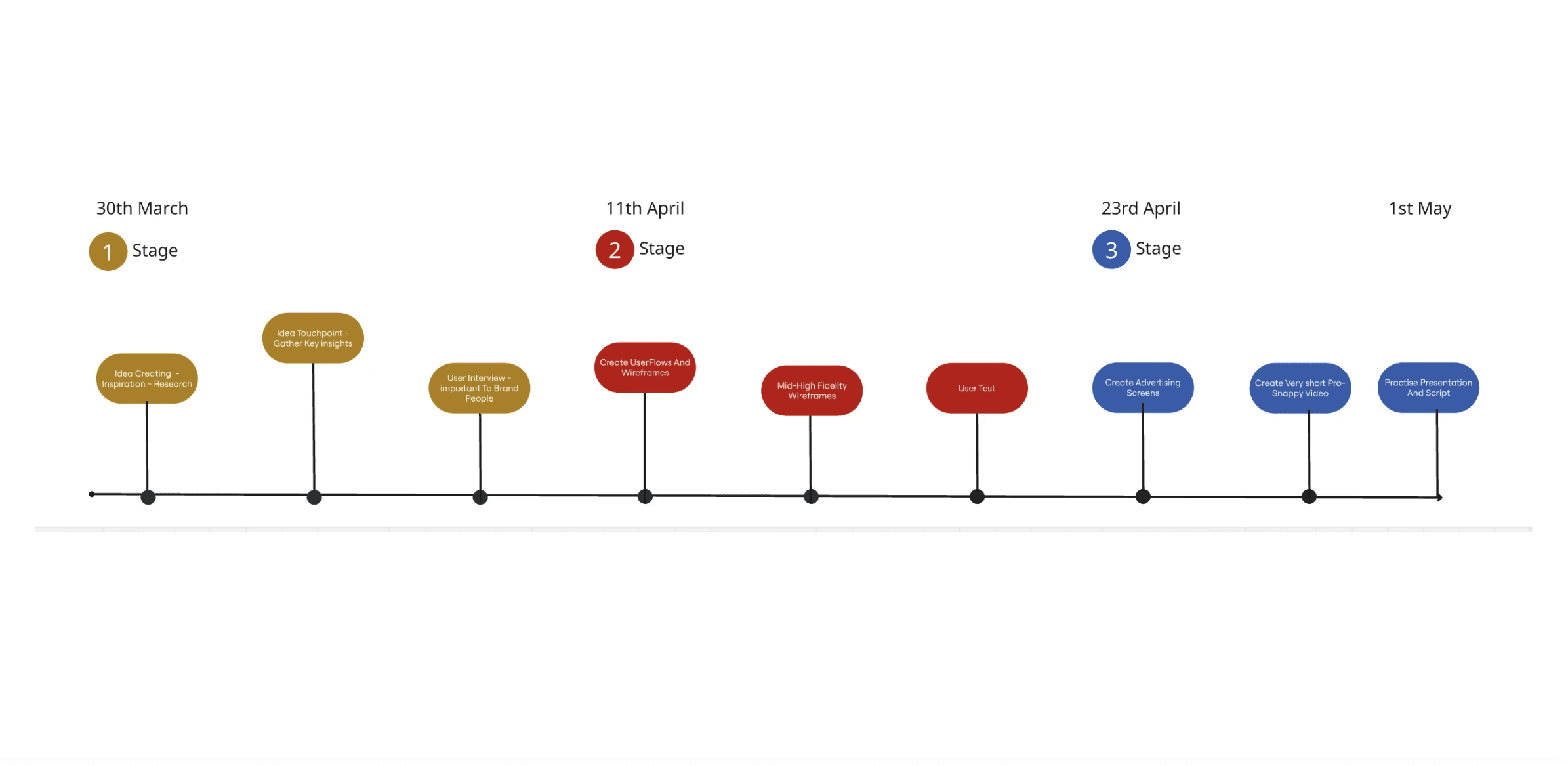
I planned my time into stages and had deadlines for each stage. I also had multiple projects on the go at the same time so this helped balance each projects deadlines.
03
Brand Research
Apple was sticking out to me most out of all the brands I researched. They sell devices as connection but they are disconnecting us more then ever. At this stage, I was coming up with another screentime update.

04
Competitor Research
I found some useful features during this competitor review and gained some ideas on features that already work well within screentime apps.

05
Screen Time Stat Research
There was a lot of negative impacts revolving around screen time when researching facts and stats. I got this information from trusted sources.

06
Survey's & Personas
I discovered people's wants and needs within the feature I was making. I created some personas to make sure of the people I’m creating for and surveys to gather more insights on peoples likes and dislikes.

07
First Set Of User Flows
These were the first user flows i made for the concept of an extra apple feature for a screentime app. This minimilised features down to the best/needed ones and what I was going to start creating.

08
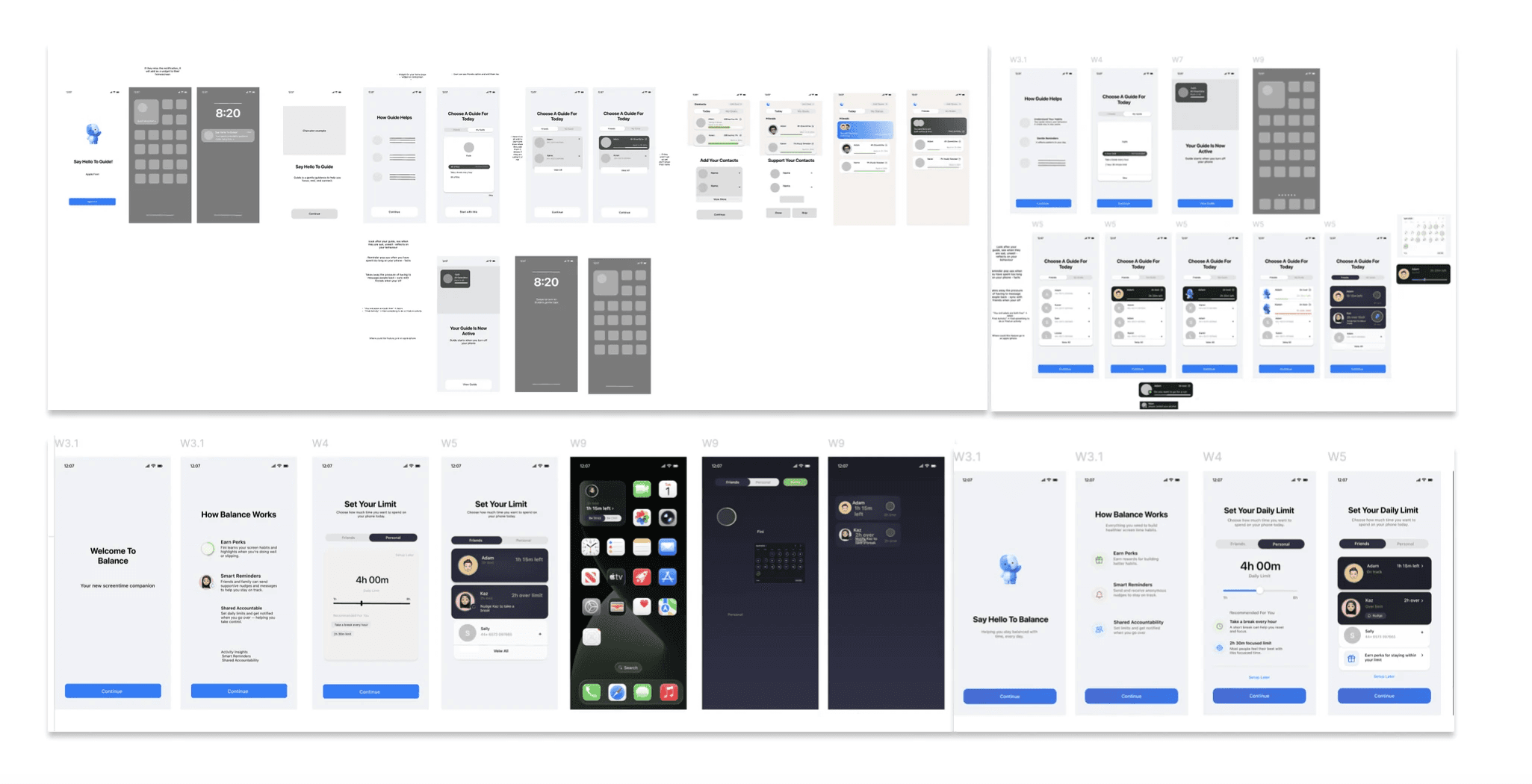
Low-Mid Fidelity Framing
There was a lot of negative impacts revolving around screen time when researching facts and stats. I got this information from trusted sources.
09
Concept Change
After speaking to my course tutors, I discovered that improving the screen time for apple users is not a big change, it already exists. I then flipped the idea to a bigger campaign for apple.

10
Interviews
I made sure to do some interviews, gathering insight’s into peoples routines and if they like the idea of no-phone events.

11
Proposition & Final Flow
After doing the interviews, I put together a proposition of what this feature means and a final user flow so I could start creating my screens from start to finish.

12
Mid Fidelity Wire framing
I came up with a few more ideas from mind mapping and then got straight to designing screens.

13
High Fidelity Wire Framing
My high fidelity screens before presenting the final products.

14
Advertising
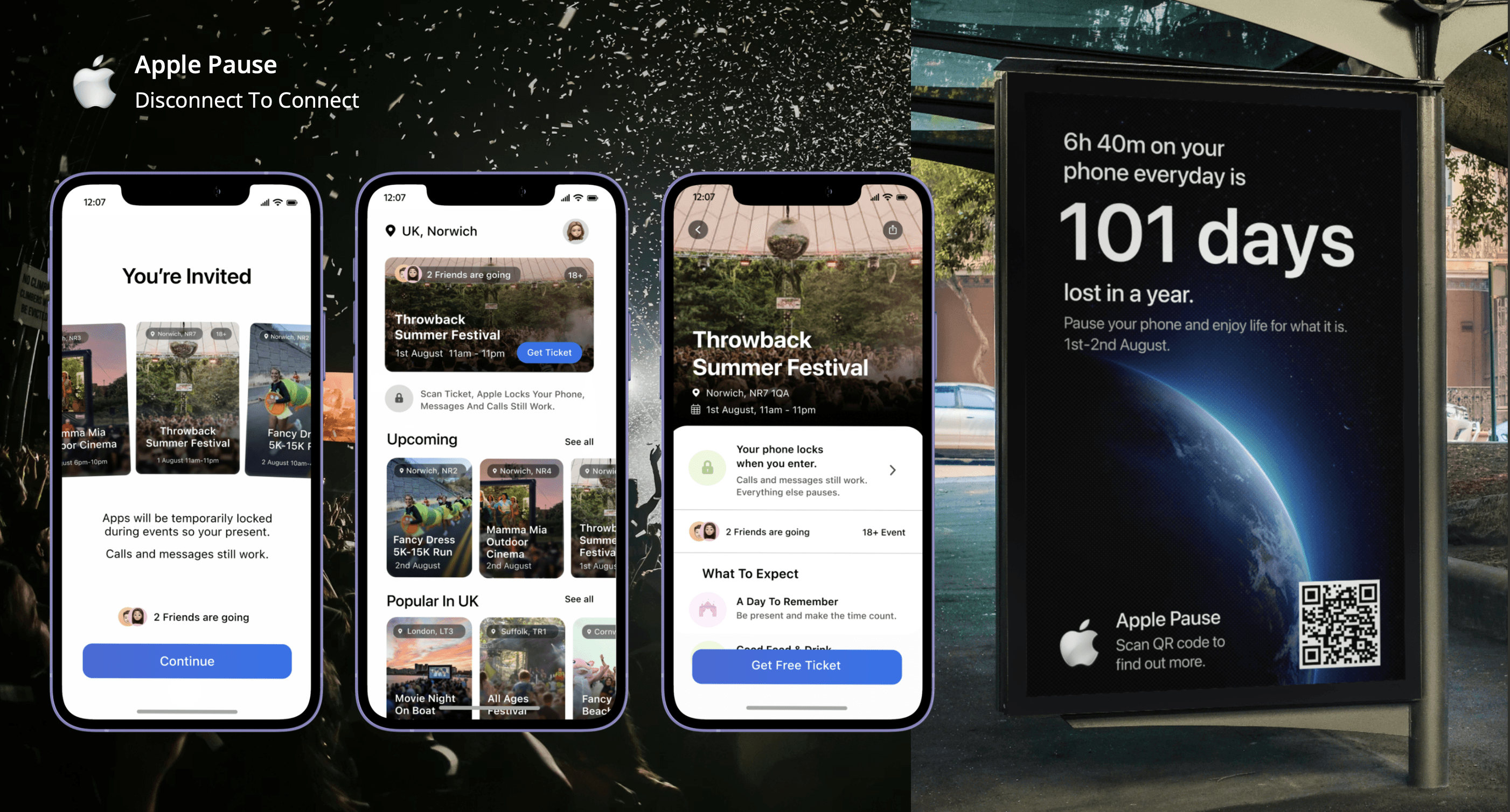
To finish the designs I also created billboard advertisements to really make my idea more 'in the real world'.

15
Presentation
I presented my work to the interstate team and they loved the idea and final designs. They also gave feedback that the screens would love better in white mode so I then went on to redesign the screens which are below this section.

Discover
Find phone-free experiences happening near you, from live music and food events to outdoor activities.
Commit
Choose an experience and make a commitment to disconnect, helping you stay present from start to finish.
Lock Phone
Apple locks your phone and you take back responsibility of being present.
Reconnect
Enjoy the experience without notifications, then reflect on your time and unlock future rewards.
Each feature was designed to reduce digital distractions while encouraging users to reconnect with the world around them.
01
Phone-free events create stronger real-world connections.
02
Positive rewards encourage lasting behaviour change.
03
Simple interactions keep the focus on the moment, not the screen.

